
A fundamental shift is happening in how traffic hits your website. For years, web analytics operated on a simple premise: a visit equals a human. Today, that premise is broken. Automated scripts, web scrapers, and sophisticated AI agents now make up nearly half of all internet activity.
If you rely on Google Analytics 4 (GA4) to make strategic editorial or technical decisions, there is a high probability that your data is currently being polluted by non-human actors that bypass standard filters. Here is an editorial breakdown of what agentic traffic actually is, real-world scenarios of how it manipulates your engagement metrics, and how to protect your reporting integrity.
TL;DR for Article
- The Problem: Advanced AI agents mimic human behavior using headless browsers, heavily polluting your GA4 analytics.
- Identifying Fakes: Spot server-bypassing “Ghost Spam” and competitor scrapers using GA4’s Hostname dimension.
- Smart Blocking: Never blanket-block headless browsers since Googlebot uses them; use Reverse DNS Verification instead.
- AI Strategy: Use
robots.txtto allow citing AI assistants, while blocking resource-draining data harvesters. - Honeypot Traps: Safely ban malicious bots without SEO penalties using a hidden CSS link and a
Disallowrule.
The Scale of the Automation Problem
Traditional bots were easy to block. They originated from known data centers and rarely executed the JavaScript required to trigger tracking codes. Modern AI agents use headless browsers to load the full page, execute JavaScript, and mimic human mouse movements.
| Traffic Metric | The Current Reality |
|---|---|
| Total Automated Traffic | Roughly 47% to 50% of all internet traffic is now generated by bots or agents. |
| Human Simulation | Over 40% of non-human traffic successfully mimics human behaviors, such as delayed clicks and scroll depths. |
| Traffic Origins | Agents increasingly use residential proxy networks to mask their location, rendering traditional IP blocking obsolete. |
Real-Life Scenario 1: The Ghost Spam Illusion
Often, the “traffic” you see in GA4 isn’t actually visiting your website at all. Spammers use a technique called Ghost Spam. They scrape the web for GA4 Measurement IDs (the codes starting with “G-“) and use Google’s Measurement Protocol to send fake pageview data directly to Google’s servers.
Real-Life Scenario 2: Competitor Scraping & Click Fraud
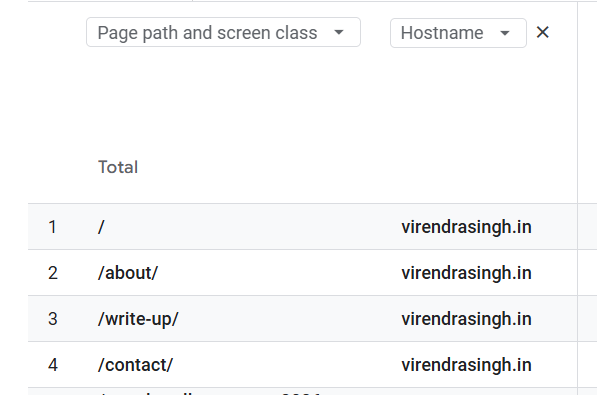
Why do bad actors simulate real visits? If the Hostname check confirms the traffic is hitting your actual domain, you are dealing with live agents. In high-velocity sectors like News SEO or cryptocurrency reporting, publishing speed is everything. Competitors deploy agents to constantly monitor your site for breaking news or updated articles.
To avoid your server’s firewall, these agents mimic human reading patterns while quietly extracting your text to feed into their own editorial systems or Large Language Model (LLMs).Furthermore, algorithmic sabotage is common. If a comptitor floods your site with fake, highly engaged traffic, it pollutes your conversion data, potentially confusing your automated advertising bidding algorithms.
The Headless Browser Dilemma: Should You Block Them All?
When administrators realize that agents use headless browsers, the immediate reaction is often to block all headless browser traffic. This is a critical mistake. Googlebot is a headless browser. It uses a headless version of Chromium to render JavaScript and “see” your page exactly as a reader does.
If you blanket-block headless browsers, you will instantly de-index your website from Google search results. The solution is not blocking the browser type, but verifying the identity. You cannot rely on the “User-Agent” string, as scrapers easily spoof this. Instead, rely on Reverse DNS Verification.
A robust Web Application Firewall (WAF) checks the IP address. If it traces back to verified googlebot.com servers, it allows the headless browser. If it traces back to a random residential IP or an Amazon Web Services data center, it blocks the spoofed agent.
SEO in the Agentic Era: To Block or Not to Block?
The web is transitioning from traditional search results to AI-driven answer engines. Platforms like Perplexity and Google’s AI Overviews act as agents, fetching information and summarizing it for readers. If you block all automated traffic, you erase your brand from the future of search.
✅ Allow the Assistants
Agents that fetch your site in real time to answer a user’s prompt
(such as PerplexityBot or ChatGPT-User)
can provide direct citations and valuable referral traffic.
🚫 Block the Harvesters
Bots that aggressively crawl your entire domain simply to scrape content
and train future foundation models (such as GPTBot)
often provide no traffic, citations, or value in return.
These bots consume server resources and should be blocked through your
robots.txt directives.
The Honeypot Strategy: Trapping Bots Safely
To identify rogue agents that bypass your firewall, you can use a CSS honeypot—a hidden link on your page that human readers cannot see. However, poorly implemented hidden links can trigger Google’s penalty for “Cloaking.”
To do this safely: Place a hidden link on your page pointing to a specific URL (e.g., /hidden-trap). You must add a Disallow: /hidden-trap directive in your robots.txt file and use a rel=”nofollow” attribute on the link. Legitimate search engines like Googlebot will respect the rules and ignore it. Rogue agents will scrape the DOM, click the link, and immediately reveal themselves, allowing your server to permanently ban their IP address.
Also Read: Preparing Your Site for AI Agents: Demystifying Lighthouse’s Agentic Browsing Scoring
Frequently Asked Questions
Disclaimer: This content was developed with the assistance of artificial intelligence tools to enhance research, structure, and clarity. All technical insights and final editorial decisions remain guided by human oversight.